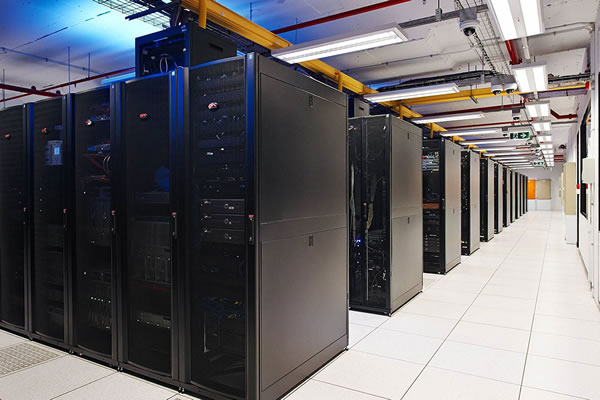
In the globalized Internet environment, Korean servers have received widespread attention due to their good network stability and fast access speeds. Whether it is to improve the access speed of the website or to develop applications related to the Korean market, quick access to the Korean server system is an important technical requirement. This article will provide you with detailed steps to help you successfully connect to a Korean server.
Understand the basic concepts of Korean servers
Before delving into how to quickly enter the Korean server system, you first need to understand what a Korean server is. Korean servers refer to server services provided by data centers located in South Korea, which usually have lower latency and faster response times. For businesses and individuals who need to target Korean users, choosing a Korean server can effectively improve user experience and website performance.
Choose the right Korean server provider
Before looking for steps to get into a Korean server, you first need to choose a suitable Korean server provider. There are multiple providers on the market, and the quality of their service and network speed may vary. It is recommended that you pay attention to the following aspects when choosing: server stability, after-sales service quality, customer reviews, and whether trial services are provided. By comparing the strengths and weaknesses of different providers, you can find the server that best suits your needs.
Register and buy a Korean server
Once you have chosen the right provider, the next steps are to register an account and purchase a Korean server. Typically, you'll need to provide some basic information, such as your email address and payment method. After completing the registration, you can choose different packages according to your needs. Please be sure to read the terms of service carefully to make sure you understand the content and restrictions of each service.
Configure server environment
After successfully purchasing a Korean server, you need to configure the server environment. First, log into the server management panel and follow the provider's instructions for basic settings. This usually includes setting up the operating system (such as Linux or Windows), configuring the firewall, installing necessary software packages, etc. Make sure the configuration you choose meets your specific needs, especially in terms of performance and security.
Access the server via remote connection
After the configuration is completed, you can enter the Korean server through the remote connection tool. For Linux systems, the common connection method is to use the SSH (Secure Shell) protocol ; For Windows systems, you can use Remote Desktop Connection (RDP). When connecting, you'll need to enter your server's IP address and login credentials. Make sure your network connection is stable to avoid unexpected disconnections during the connection process.
Manage and maintain servers
After successfully entering the Korean server, you need to manage and maintain the server regularly. This includes monitoring server performance, regularly updating software, backing up data, and maintaining security. Dealing with potential problems in the server promptly can effectively avoid security breaches and performance degradation. In addition, regularly checking the server's access logs can help you understand user behavior and traffic trends to optimize website content.
Optimize server performance
After entering the Korean server system and completing the basic settings, optimizing server performance is an important step in improving user experience. You can achieve performance optimization in a variety of ways, such as using a CDN (content delivery network) to speed up content loading, enabling caching mechanisms to reduce server load, and optimizing database queries. Through these methods, you can significantly improve the responsiveness and stability of your website.
Summary and suggestions
It is not difficult to quickly enter the Korean server system. Just follow the steps above and you will be able to complete it smoothly. Choosing a suitable server provider, configuring the server environment, accessing the server through remote connection, and doing subsequent management and optimization work are all keys to ensuring that you can use Korean servers efficiently. If you encounter problems during operation, you may wish to consult professional technical support to ensure the smooth operation of the server.
- Latest articles
- Popular tags
-

selection criteria and evaluation of korean native ip computer rooms
this article discusses the selection criteria and evaluation of korean native ip computer rooms to help users understand how to choose a suitable computer room. -

methods to obtain korean native ip and analysis of its advantages
this article provides a detailed analysis of the methods and advantages of obtaining korean native ip. it is suitable for users who need korean ip and helps improve seo effects. -

detailed explanation of the hardware and bandwidth requirements for building a korean pubg server
for technicians who want to deploy playerunknown's battlegrounds (pubg) servers in south korea, it provides a detailed explanation of key points such as server hardware (cpu, memory, storage) and network bandwidth, latency, packet loss, protection and computer room selection to facilitate performance planning and scalability design.